ImmiIQ: a migration practice in one place.
Migration agents ran their practice across government sites, spreadsheets and paper. ImmiIQ puts it in one place and keeps the agent in charge of every decision.
3 min read
A registered migration agent does eight jobs at once. They research the pathway, win the client, collect the facts, prepare the forms, lodge, keep the file, get paid and look after the employers who sponsor. Every one of those jobs had its own spreadsheet, inbox or website.
ImmiIQ is the practice in one place. It is a web app for the whole firm, a mobile app for agents and their clients, a Chrome extension that fills ImmiAccount and portals for clients, sponsors and partner agents. Free public tools serve anyone weighing up a visa.
Before
Thirty-one browser tabs to run one migration case. That is the opening shot of the product film brief, because it is what an agent's screen looks like during lodgement prep.
Thirty-one tabs, one case
Open one migration case the old way. Then open it in ImmiIQ.
The occupation lists, the points rules and the forms were only half of it.
The occupation lists, the points rules, the state programs and the labour agreements sat across Home Affairs, Jobs and Skills Australia, SkillSelect and the states each publish their own data in their own format on their own schedule.. Intake happened on paper. Passports were typed in by hand. The same family details went into every form again. Every copy could drift from the last.
The drift is the expensive part. A stale answer on a migration file is not refused at lodgement. It is accepted, sits in a queue and comes back months later as a request for information.
The eight jobs
Here is each job as it was and as it runs now. Every one ends with the line ImmiIQ will not cross, because in migration work the decision has to stay with a licensed person.
Eight jobs, one practice
Pick a job a migration practice does every week. See the pain it started as, what ImmiIQ does and the line it will not cross.
- Web app
- Free tools
The data is scattered across dozens of government websites, PDFs and spreadsheets that change without warning.
Every occupation, list and points rule in one search, with the answer cited.
- Fuzzy search across ANZSCO and OSCA, with the mappings that show when a code splits
- Points test for skilled independent, state and regional visas
- An opportunity score from invitation odds, shortage, demand and ceilings
Harper will not state a Department charge. She sends you to the Department.
Everywhere the work happens
A practice does not work at one desk. The agent is at the desk, in the taxi and in ImmiAccount. The client is on their phone. The sponsor's HR team is in its own office. So ImmiIQ meets each of them where they already are.
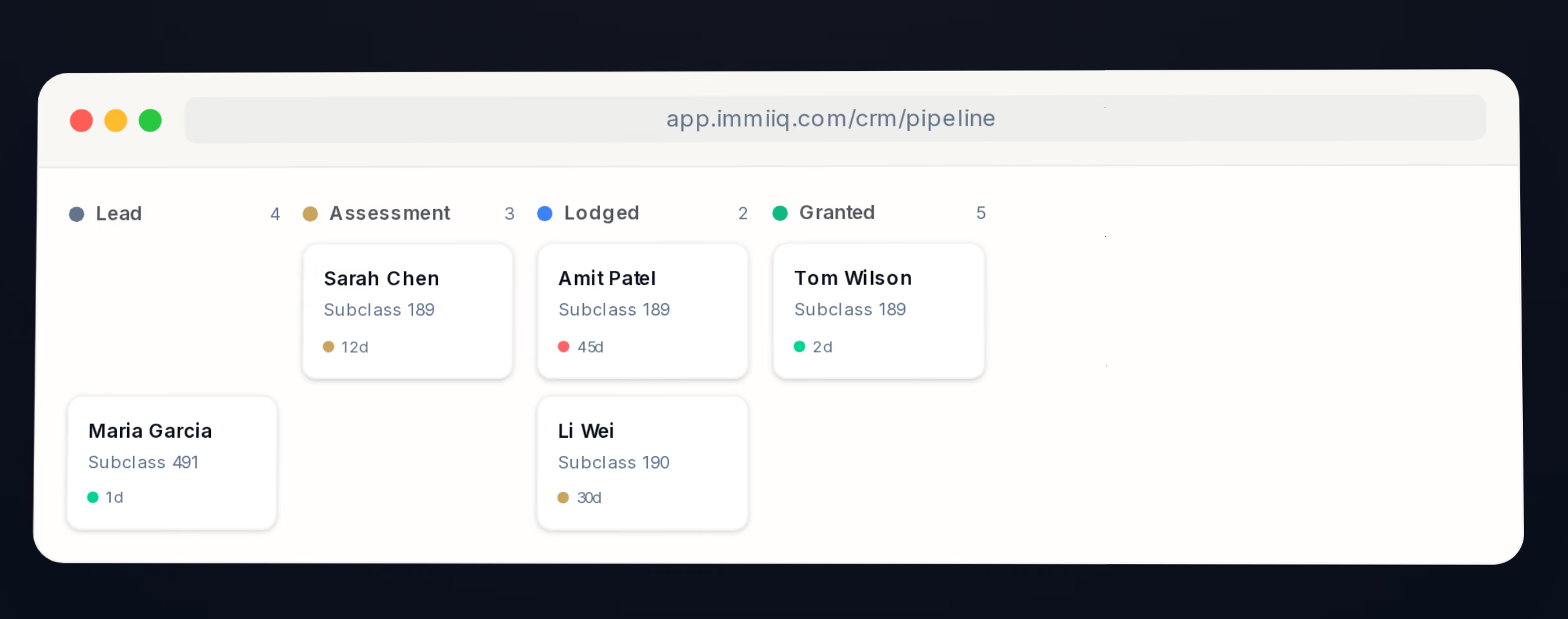
Web app · the whole firm
Every case on one board.
Seven stages from lead to granted. Each card shows the visa and how long it has waited. An enquiry form on the firm’s own site drops a new client straight into the first column.
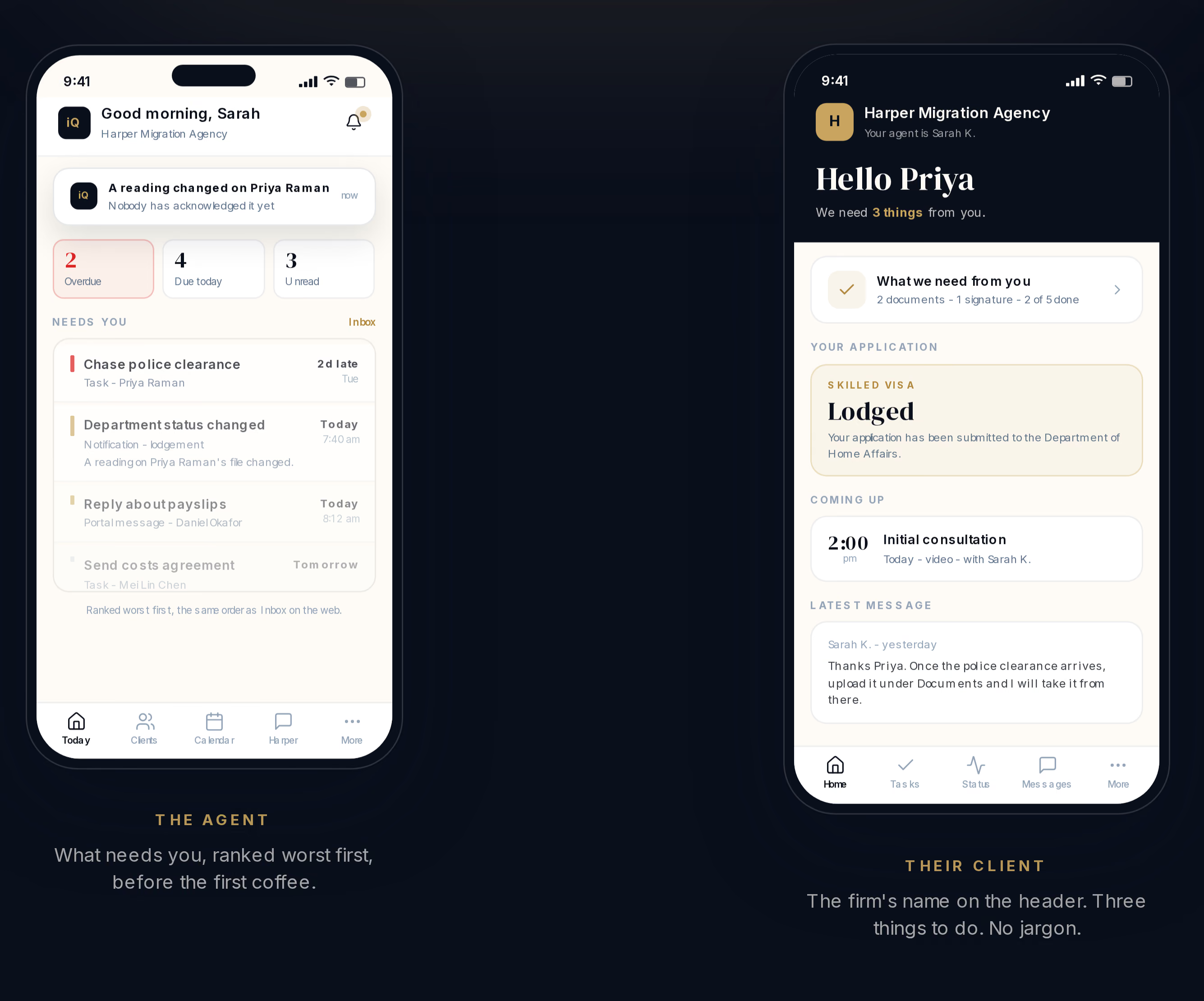
Mobile app · agents and clients
Two roles. One app.
The agent’s morning arrives ranked, most urgent first, before the first coffee. The client opens their own file with a private link and six digits and sees the three things they still owe. Since September the phone can act too: add a client, call them, dictate a note, photograph a document.
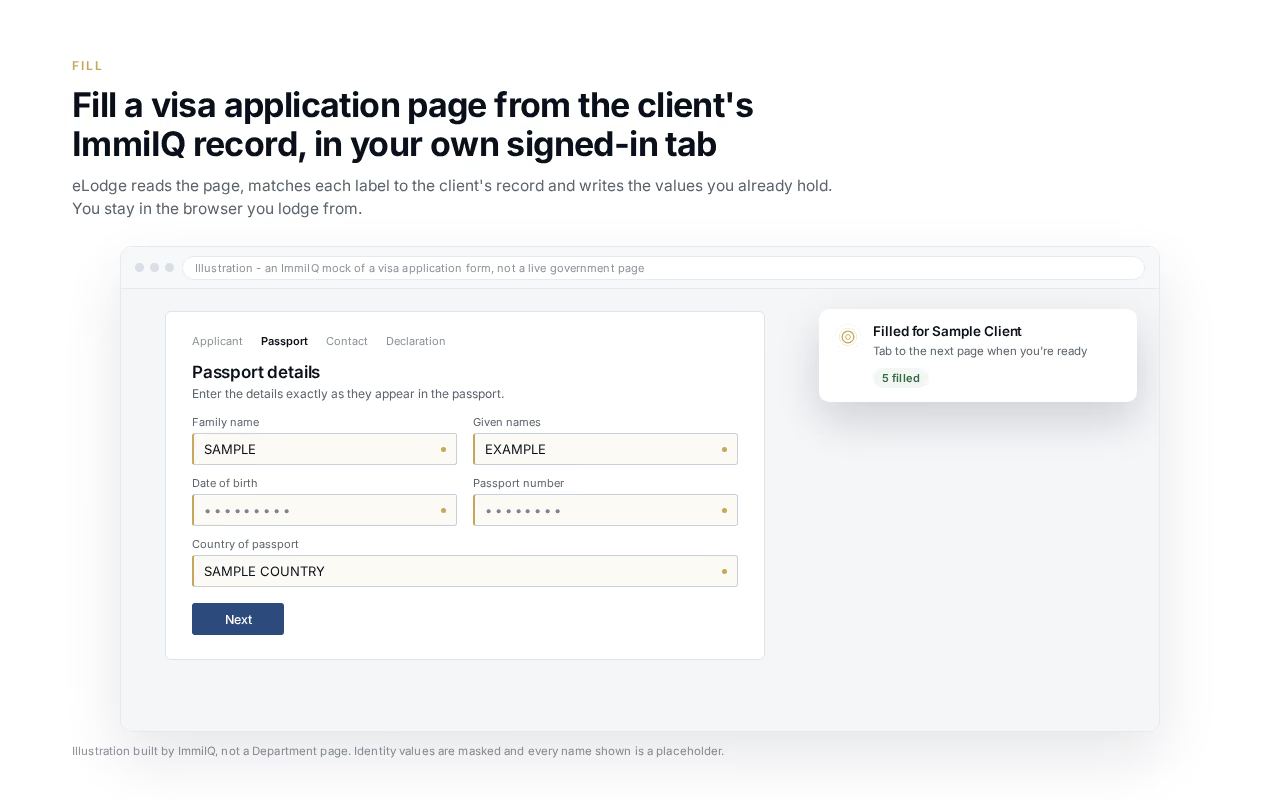
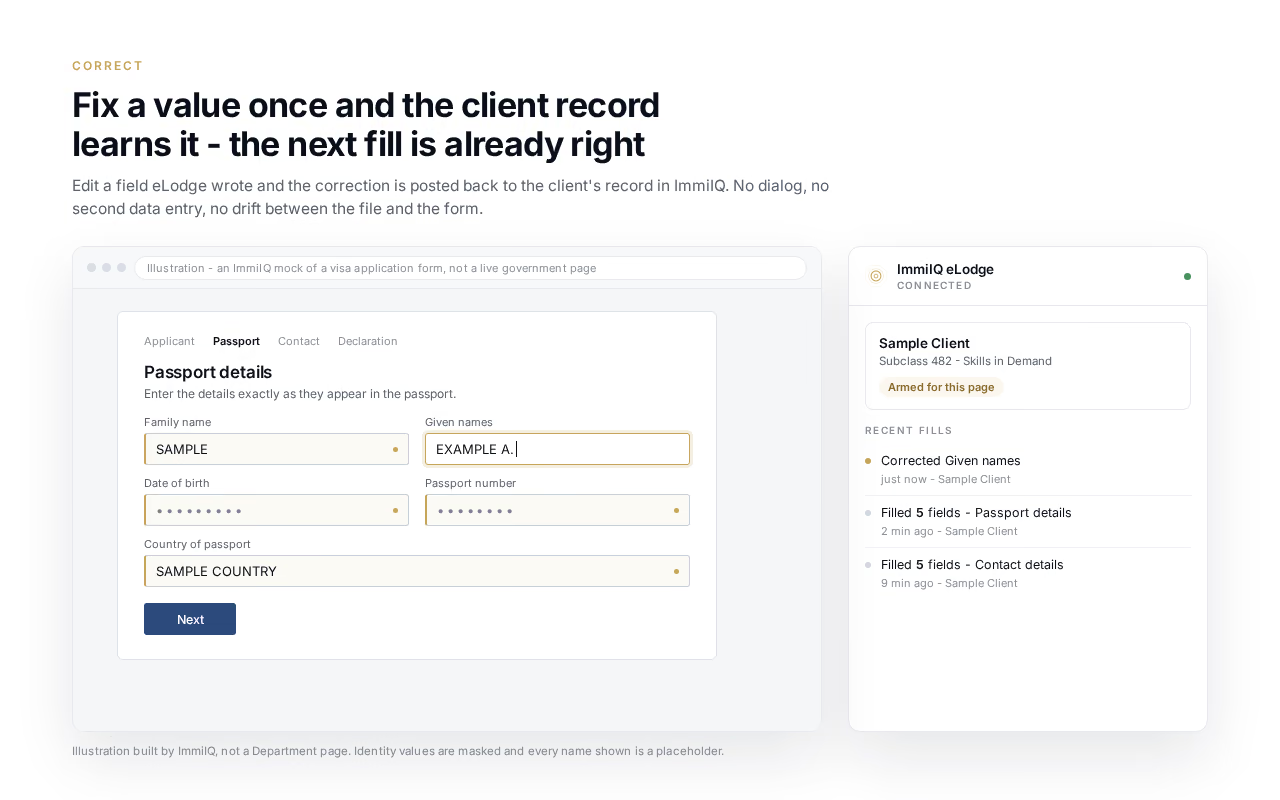
Chrome extension · ImmiAccount
It fills the form. It never signs in.
A typical twenty-five page application has 350 to 400 fields. The extension fills every one it can match from the accepted record, in the agent’s own signed-in tab. Fix a value once and the correction goes back to the record, so the next fill is already right. It stops at the declaration.
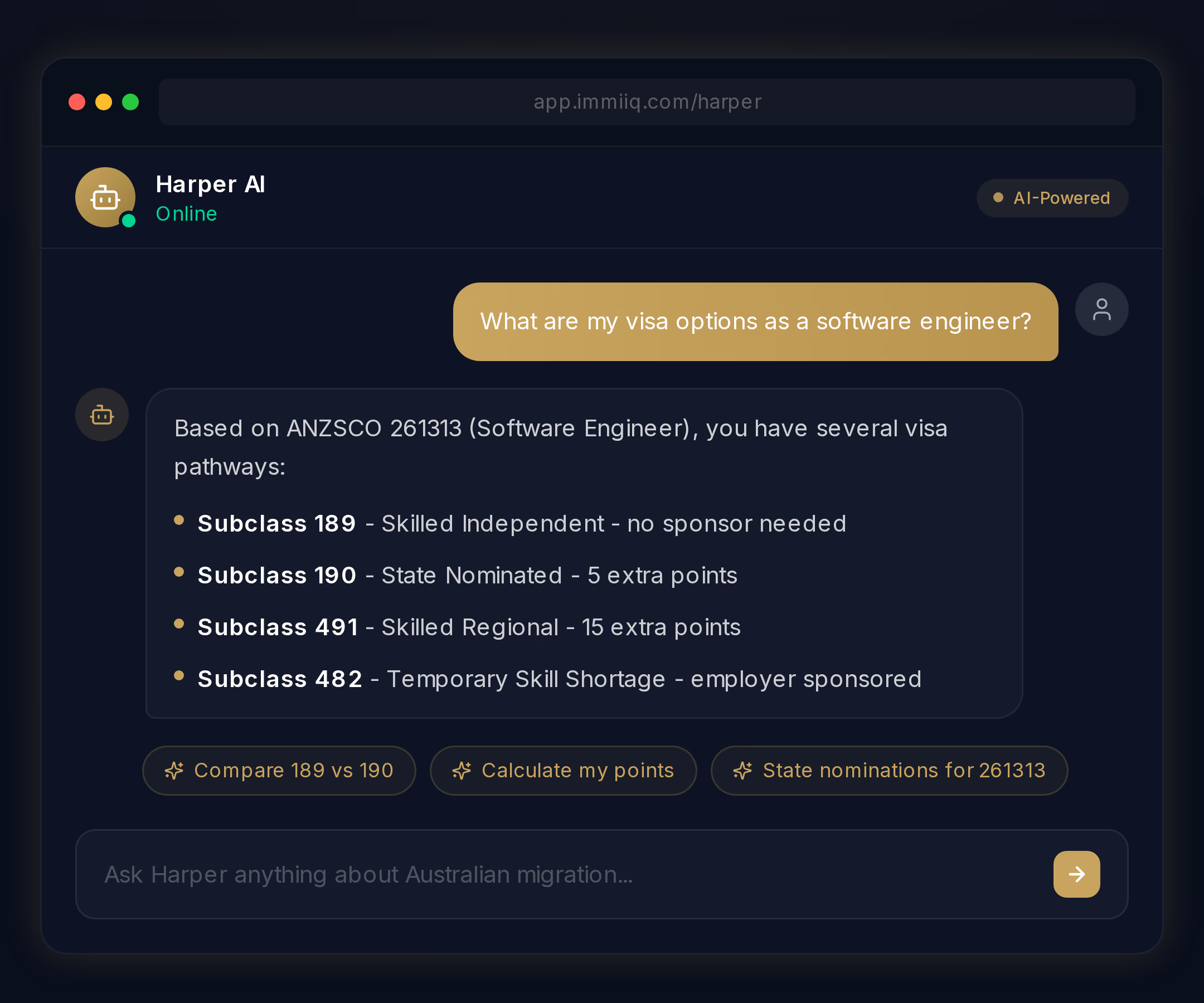
Harper · the migration assistant
Ask in plain English. Get a cited answer.
Harper answers from more than twenty-seven government sources and says where each answer came from. It offers the next step on its own, like comparing two visas or running the points test.
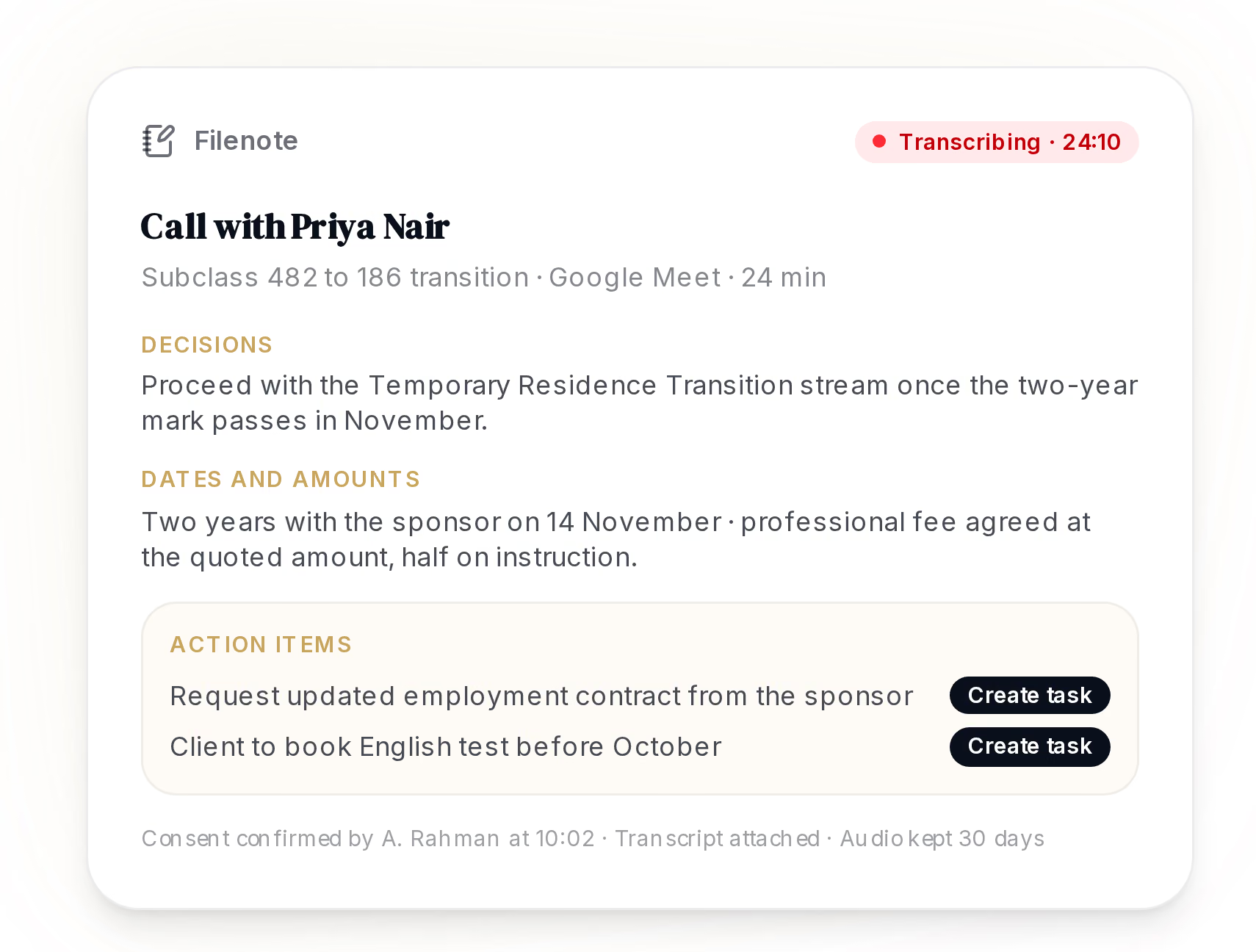
Call Notes · the file record
The filenote writes itself.
Record the call once the client has consented. The filenote arrives with the decisions, the dates and amounts, and action items that become tasks. The audio deletes itself after thirty days by default.
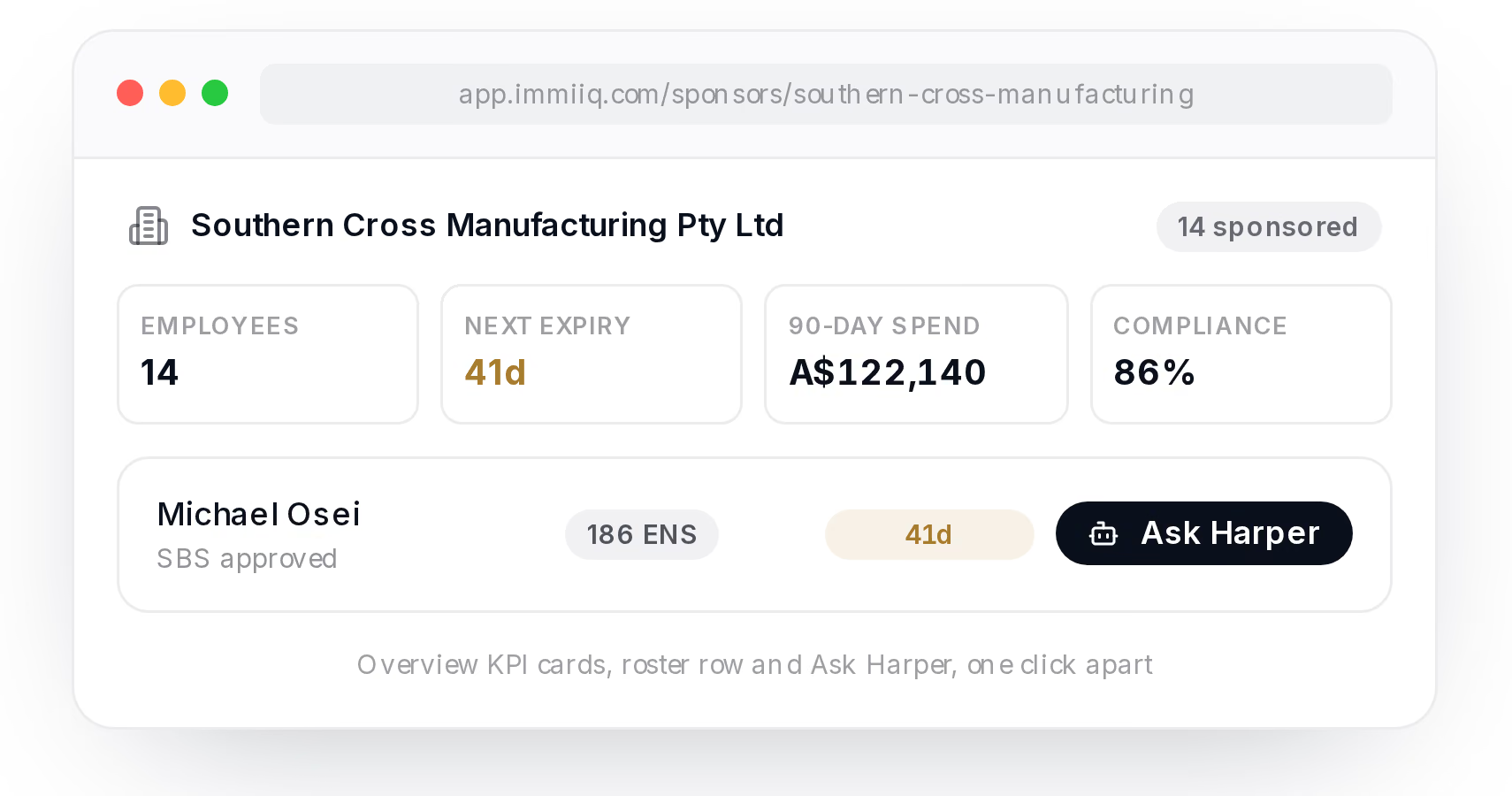
Sponsor Portal · employers
Give HR a login, not a spreadsheet.
The sponsoring company gets its own portal: the roster with expiries, the cost of renewals ahead, the compliance calendar and a Monday digest. HR asks a question in the thread instead of starting an email chain.
It keeps moving. This is one month of releases.
Shipped in September
- 25 SepVisa intake packsOne link per visa. The client fills it in once and the forms read it.
- 21 SepThe phone can actAdd a client, call, message, dictate a note and photograph a document from the app.
- 21 SepProspect questionnairesPersonal history collected before conversion, so nothing is typed twice.
- 20 SepVEVO checksFive travel documents, and a batch never overwrites a stored status on its own.
- 19 SepCall NotesThe filenote writes itself from the call.
- 18 SepQuickBooks syncTwo-way accounting, the same as Xero.
- 11 SepTwo roles, one appAgents and their clients on the same mobile app.
- 11 SepAgent signaturesSigned once, then on every letter and declaration.
- 5 SepeLodge in your own tabImmiIQ no longer signs in to ImmiAccount. The agent does.
From immiiq.com/whats-new
One answer, every form
The heart of it is the intake. One link per visa. The client answers once, in order and on any device, for the whole family. The agent reads each answer and accepts it into the client file. The appointment form, the service agreement, the government forms and the extension all read that one record.
Try the difference with a client who moves house.
Try it
Ana moves house
Send her new address with copies, then with one record. Watch which places still say Carlton.
From Ana Folau
Tue 30 Sep, 10:42
Press a button above to run it
Ana Folau · Partner visa
Residential address
- Email thread14 Keel St, Carlton VIC
- Case spreadsheet14 Keel St, Carlton VIC
- Appointment form14 Keel St, Carlton VIC
- Service agreement14 Keel St, Carlton VIC
- Visa application14 Keel St, Carlton VIC
Proof a practice can check
Data lives in Australia and each firm's data is encrypted with its own key. The audit log keeps seven years. Harper, the assistant, answers from more than twenty-seven government sources and says where each answer came from. Every report carries the firm's own registration number.
What it refuses to do
A tool like this is only useful if an agent can trust it with a licence on the line. So the design says no in the places that matter:
- It never signs in to ImmiAccount for you, never holds the password and never lodges. You press submit.
- Nothing a client types reaches the record until the agent accepts it.
- A form box no record answers is left blank, not guessed.
- The assistant cites its sources and will not state a Department charge.
- A file note is written once and never edited in place.
- A trust receipt number is never skipped and never reused.
It is also honest about its limits. The forms page says how many boxes each form can fill from the record. It also says that no filled form has yet been confirmed accepted by the Department. That sentence costs a little in marketing. It buys a lot in trust.
What I took from it
Build for the decision, not the data entry. The hours go into typing. The risk sits in the moment a person decides something is true. Make that moment explicit, make it cheap and record who made it.